
Arcane URL: https://arcane.anthill.technology
If you have an old bookmark to arcane-frontend-production.anthill.technology, it will automatically redirect to the new address — you'll be signed in as normal.
If you can't access Arcane or need help with your account, contact the support portal: https://support.arcane.anthill.technology
Getting Access
Arcane accounts are created by your organisation's Arcane administrator. If you don't have access yet, reach out to your internal product owner or programme coordinator — they can request an account on your behalf, or direct you to the support portal.
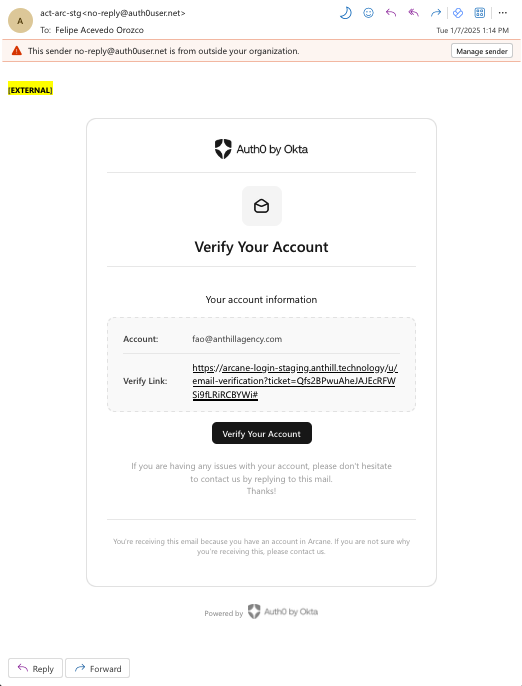
Once your account is created, you'll receive an email from no-reply@auth0user.net with the subject "Verify your Email". Click the link in that email to confirm your address before attempting to log in.
Logging In
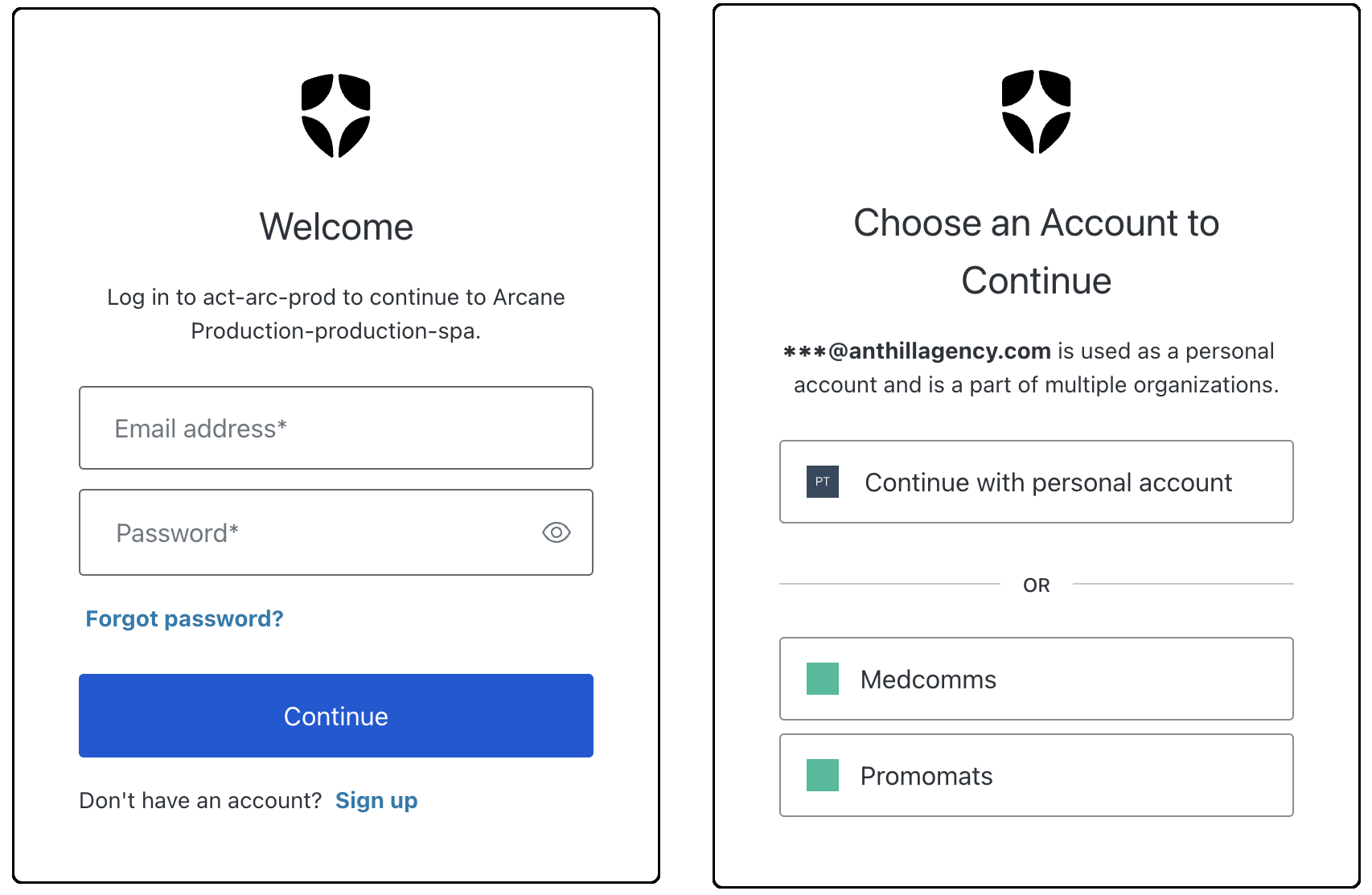
Go to arcane.anthill.technology and click Log in. You'll see two ways to sign in depending on how your organisation is configured:
Email and password — Enter the email address your account was created with and your password, then click Log in.
Single Sign-On (SSO) — If your organisation has SSO configured, a button will appear at the bottom of the login screen. Click it to authenticate using your normal corporate credentials. You won't need a separate Arcane password.
Forgot Your Password?
If you use email and password login and can't remember your password, click Forgot password? on the login screen and enter your email address. You'll receive a reset link shortly.
If you can't remember which email address your account uses, search your inbox for the original verification email from no-reply@auth0user.net.
If neither option works, contact your programme coordinator for a full account reset.
The "Forgot password?" option applies to email/password accounts only. If you sign in via SSO, use your organisation's standard password reset process instead.
Session Timeouts
Arcane automatically logs you out after 20 minutes of inactivity. Your conversation history, Collections, saved emails in My Creations, and your email draft are all preserved. Arcane saves your draft continuously as you type and whenever focus changes, so a session timeout by itself will not cost you any work.
The only real risk is a sudden interruption, such as a power loss or forced restart, landing in the brief window before your latest edit has saved. Download links created before a timeout also stop working, so log back in and re-download from My Creations if you need one again.
See Session Timeouts & Logging Back In for more detail.