
-
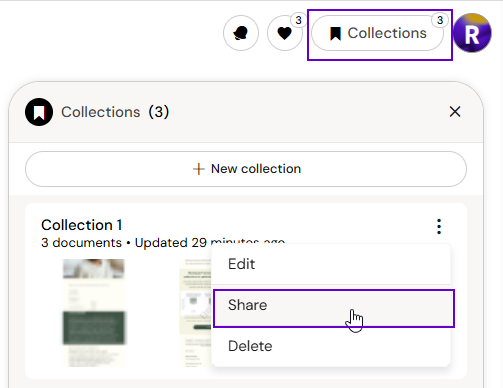
Open your Collection
-
Click Share — a shareable link is copied to your clipboard
-
Send the link to a colleague
Recipients receive a read-only copy of the Collection that updates automatically whenever you add or remove documents from the original. They cannot edit your version.
If you click your own shared link, Arcane opens your original Collection rather than creating a duplicate.
Opening a Collection Someone Shared With You
-
Click the shared link (you must be logged in to Arcane)
-
Arcane opens a conversation scoped to that Collection
-
Click Add to save it to your own sidebar for future use