
Type your question or topic in the prompt bar and press Enter. Arcane searches by concept — you do not need to know exact document titles or Vault terminology.
Examples of effective prompts:
-
"What are the approved efficacy claims for [product] in adults?"
-
"Summarise the safety profile of [product] for a specialist audience."
-
"What content do we have on dosing for [indication]?"
-
"Compare the positioning of [product A] and [product B] across our EU markets."
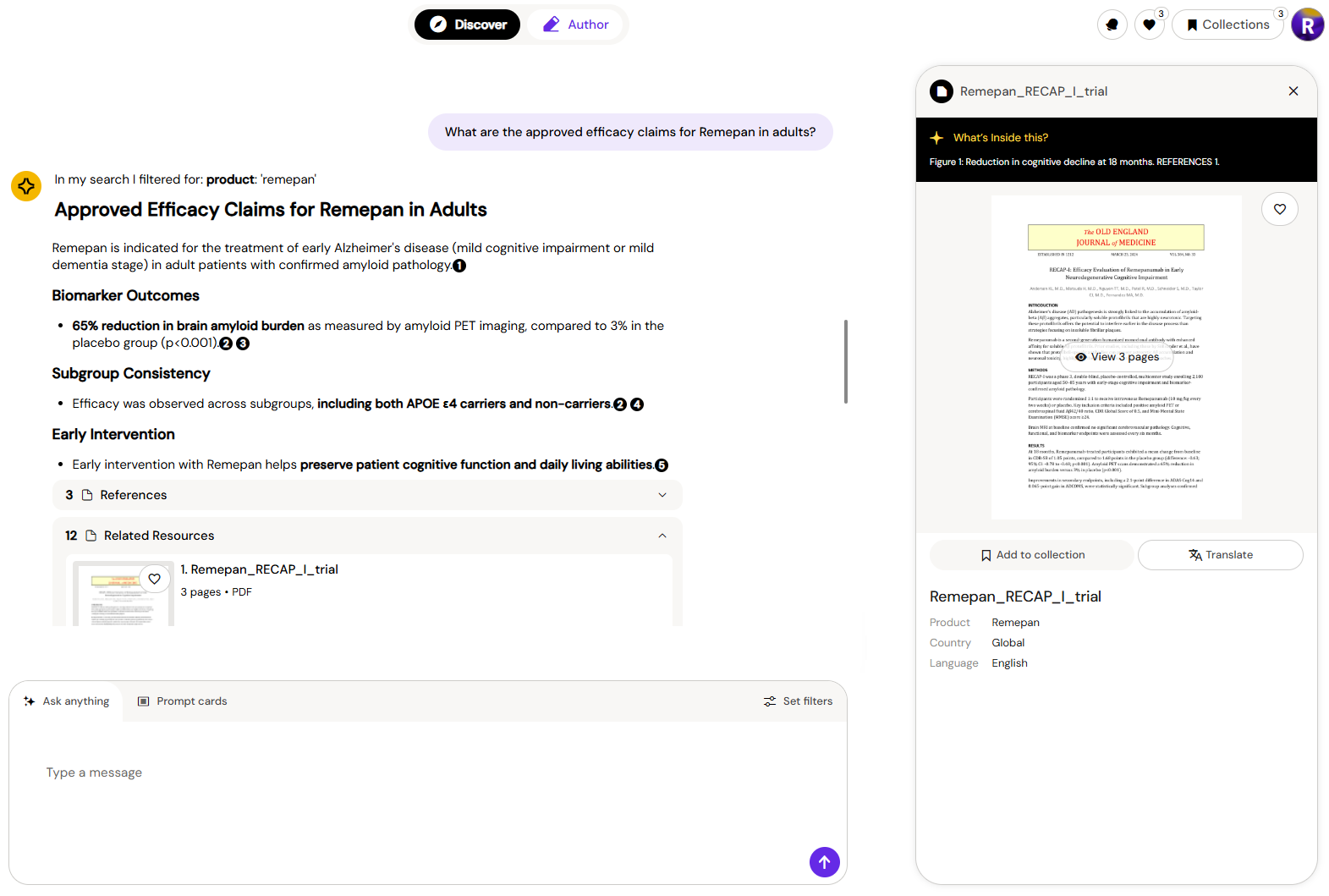
Searching by Document Number
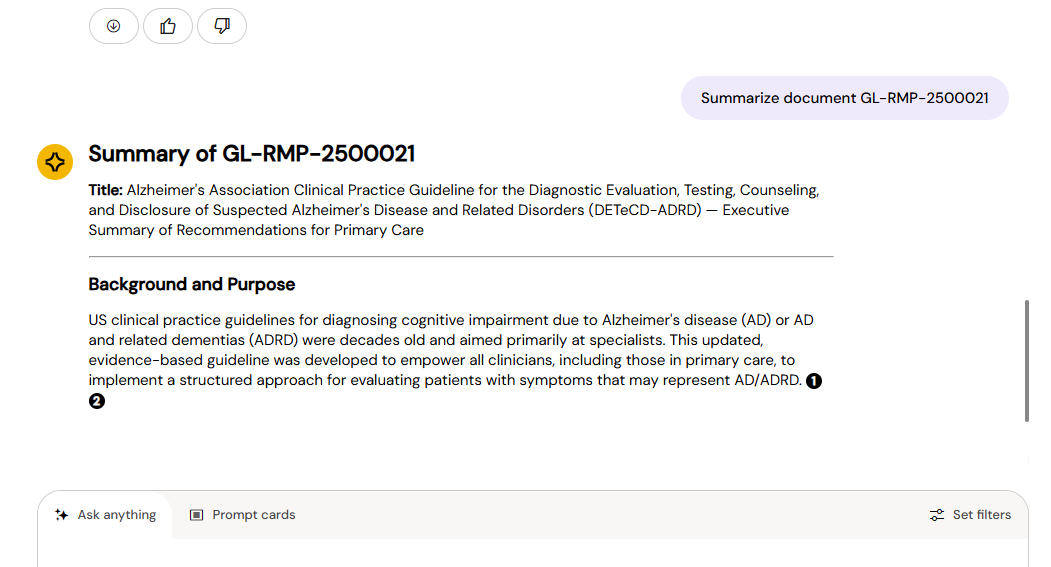
If you know the Vault document number (e.g., MAT-1234), include it directly in your prompt to target a specific document. Arcane will focus its response on that document.
-
"Summarise MAT-1234."
-
"What does MAT-1234 say about contraindications?"
-
"Find common themes in MAT-1234 and MAT-8319."
Searching Published Research (PubMed)
Every conversation can also draw on PubMed alongside your internal library — over 40 million peer-reviewed papers, clinical guidelines, and published studies. This happens automatically, at the same time as everything else in Discover; there's nothing separate to switch on.
When a response draws on both sources, citations from your internal library and from PubMed appear together in the same reply, each linked back to its source so you can verify it.
This is most useful when you want to align a new published study with your existing approved messaging, or explore external evidence before creating content. For example:
-
"Find published studies on [product]'s efficacy in [population] and compare them with our internal clinical summaries."
-
"Summarise the latest guidelines on [topic] and note where our content aligns or differs."
PubMed content is publicly available published research. It has not been reviewed or approved by your organisation. Always confirm that any external reference is appropriate for your use case before incorporating it into regulated content.