
Filters narrow Arcane's search to a specific market, product, or document type. Especially useful when your Vault spans multiple therapeutic areas or geographies.
Applying Filters
-
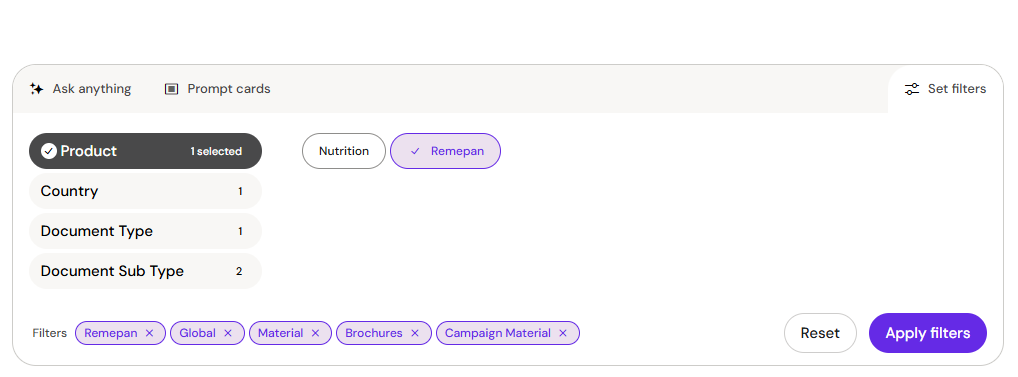
Click the filter icon in the prompt area.
-
Select one or more values for Product, Country, or Document Type. Options update dynamically as you select — preventing empty result sets.
-
Active filters appear as tags in the prompt area. Remove any by clicking its ✕ icon.
Filters stay active for the full conversation until you remove them.
Your organisation may have Tiered Content configured, which affects default result ranking. Applying a manual filter overrides the default tiering for that conversation.