
Once your email is ready, there are two ways to get it out of Arcane:
-
Download as ZIP (covered below) — produces a standalone .zip file compatible with Veeva Vault, Anthill Activator, SFMC, Veeva CRM, and IQVIA. Available for every email.
-
Publish to Activator — sends the email directly into Anthill Activator with metadata pre-filled, where you continue refining and publish to Vault from there. Available when your organisation has Activator configured.
Downloading remains the universal path and is always available, regardless of whether Activator is configured.
Download as ZIP
-
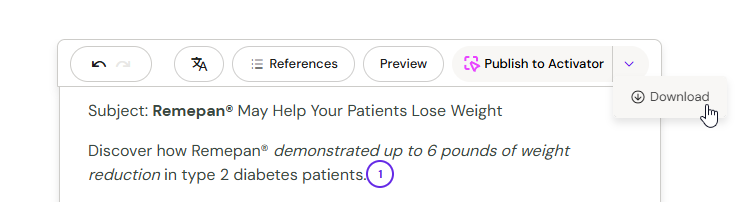
Click Download in the top toolbar, or hover over an email in My Creations and click the download icon.
-
For emails with more than 3 MB of media, Arcane prepares the package in the background and sends a notification when it is ready.
-
Click the notification to download the .zip file.
-
The .zip contains the HTML file and all image assets, compatible with Veeva Vault, Anthill Activator, SFMC, Veeva CRM, and IQVIA.
Publish to Activator
-
Finish authoring your email in Arcane.
-
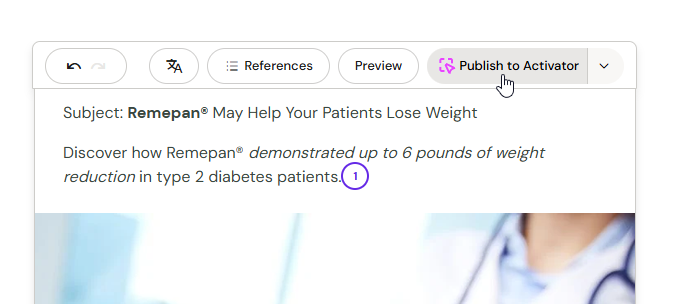
Click Publish to Activator in the top toolbar.
-
A new tab opens with a pre-flight screen — your tactic's metadata is already filled in and your design system is pre-selected. Review the details and continue.
-
You land in the Activator designer with your email loaded. From here, refine and publish as you would any Activator email.
The first time you publish in a browser session, you'll re-authenticate in Activator using your normal Activator credentials. After that, subsequent publishes in the same session go straight through.
Note: The transfer is one-way. Changes you make in Activator don't sync back to Arcane. If you need to revise the email after publishing, update it in Arcane and publish again.
CDN Publishing
If CDN publishing is configured for your organisation, Arcane automatically publishes media assets to your CDN when you download an email. The HTML references hosted image URLs — distribute the file directly without re-uploading images to another platform. Contact your Anthill team to enable this feature.